Use multiple online dashboards to get up-to-date progress at every stage of the project — including completed and pending items by item number, cost, and revenue.
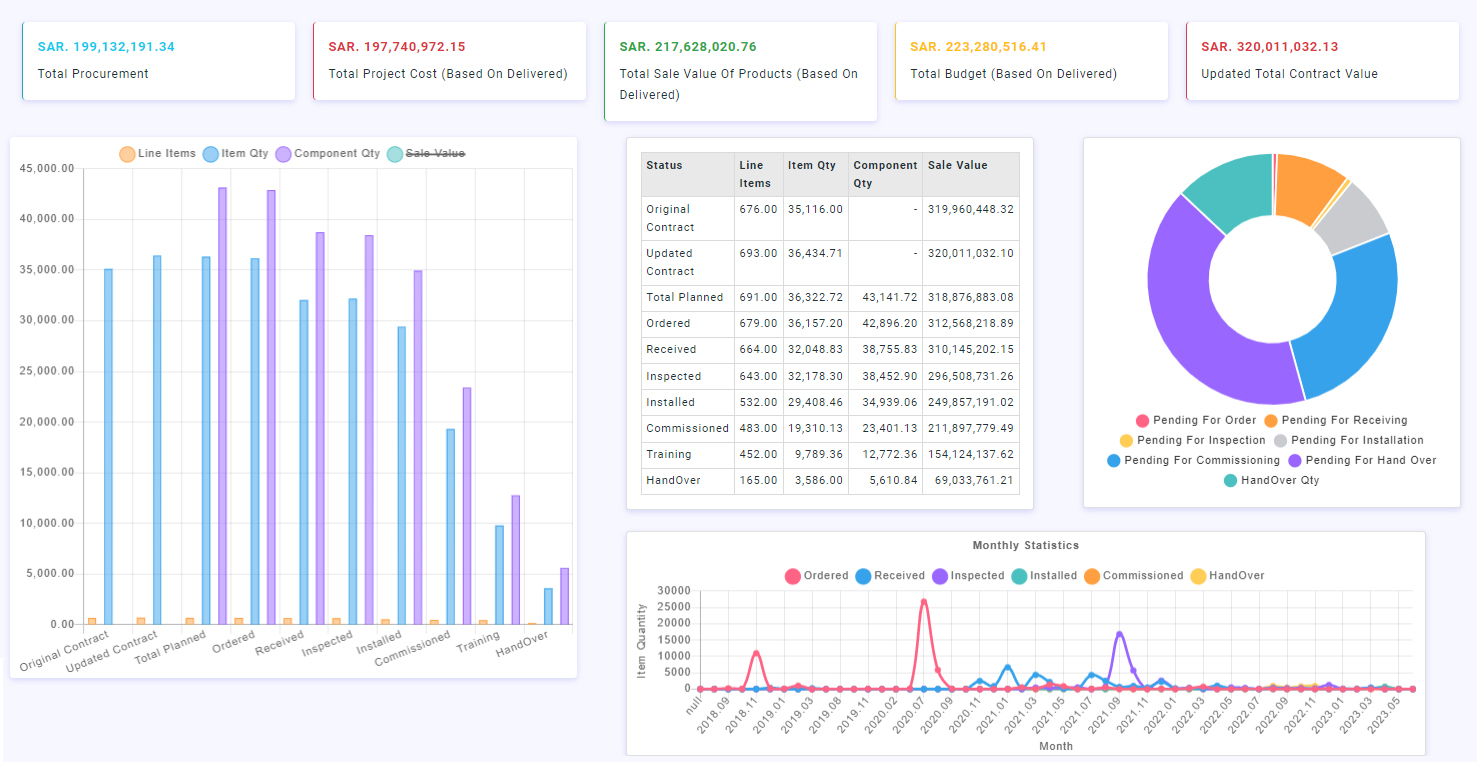
Status dashboard — planned vs. actual
What you can track
Access graphics and detailed project status by department, space/room, and entity.
Track every execution function, including building activation and management of project deliverables.
Build your own project schedules and let PEquip automatically compare planned vs. actual events.
Create customizable project status reports to share with clients on a regular basis.
Upload videos and photos to keep every stakeholder up to date on project progress.
Create and distribute meeting minutes, and assign follow-up tasks to personnel.
Assign tasks to all stakeholders and track them through to completion.
Use the built-in messaging center to keep all project communication in one place.
Rely on built-in notifications to prompt the project team, clients, and vendors to approve documents and complete required actions.